On this page
Short answer
Choose a layout first: the new default splits actions across A, Y and the left stick
The biggest controller decision in E-Day is the layout. By default, A is reserved for taking and moving around cover, sprint moves to a left-stick click and Y handles jumping, vaulting and mantling. Earlier Gears games put all of that on A.
If that fights your muscle memory, a legacy scheme is in the controls menu along with several other pre-made layouts, and each can be customised. Nobody has published tested sensitivity values we can vouch for, so the rest of this page covers the options that are documented.
- Cover
- A
- Sprint
- Left-stick click
- Jump / vault
- Y
Default layout compared with older games
| Action | E-Day default | Earlier Gears games |
|---|---|---|
| Take cover, move along cover | A | A |
| Sprint | Click the left stick | Hold A (Roadie Run) |
| Jump, vault, mantle | Y | A, contextual; no jump |
| Dodge roll | A | A |
| Tac-Com | LB | LB |
IGN’s previewer said the split took time to relearn but stopped A from doing the wrong thing in tense fights.
New default or legacy?
The default suits the new movement. With jump on its own button you can climb onto a vehicle or mantle a ledge without first snapping to cover, and sprinting no longer risks sticking you to a wall.
Legacy makes sense if you have years of Gears habits and mainly play Versus, where a mistimed input costs a round. One launch fix is relevant: on Legacy settings, an inconsistent delay when releasing sprint has been corrected.
Test a scheme before you commit
- Open Combat Training. It is a practice space on a multiplayer map with every weapon available.
- Run the same loop on each scheme: sprint, slide into cover, vault, shoulder swap, reload.
- Spawn a short Locust encounter and note which layout causes fewer wrong inputs under pressure.
- If one action still feels off, remap just that button instead of switching scheme.
- Bring friends: Combat Training supports four-player co-op, so a squad can settle on layouts together.
Aim assist and the reload bar
During the beta, The Coalition clarified that aim assist only affects Campaign and Horde Siege. Versus is not affected. The note was written as a correction to a missing label in the settings menu, so check the in-game wording for any change since.
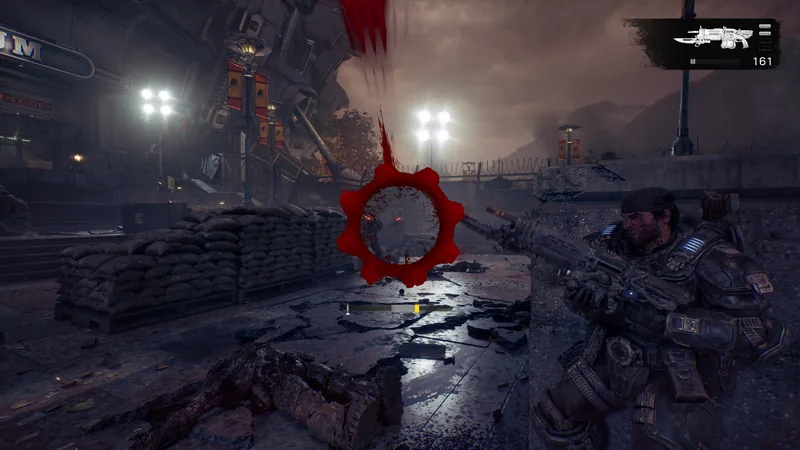
The active reload bar is centered below the reticle by default because testing showed players used the mechanic more often there. Long-time players can move it back to the upper-right corner. You can also swap the camera shoulder while aiming.
Using a controller on PC
The Steam page lists full controller support and DualSense support. Both keyboard-and-mouse and controller bindings can be remapped.
- Some third-party controllers were not recognised when launching through Steam during the beta. An August 12 update improved this.
- If it still happens, support suggested unplugging mouse and keyboard USB devices and making sure the controller is connected before you launch.
- An extra input delay on mouse and keyboard was fixed for launch, as were lighting effects on supported peripherals.
Quick questions
How do I switch to the old Gears control scheme?
Open the controls menu and select the legacy scheme. Several other pre-made layouts are offered there too.
Is there aim assist in Versus?
According to the beta FAQ, no. Aim assist applies to Campaign and Horde Siege only.
Does a PlayStation controller work on PC?
The Steam store page lists DualSense controller support for the PC version.
Sources
Where these answers come from
- Press or guide · PreviewIGN: Gears of War: E-Day Multiplayer First PreviewHands-on description of the default controls: cover on A, sprint on a left-stick click and jump or vault on Y.Published 2026-07-30 · Checked 2026-10-04
- Press or guide · GuideIGN Guide: Biggest Changes in the E-Day CampaignThe legacy control scheme option, how weapon mods are equipped at Supply Caches and the Perfect Reload mod slot.Published 2026-10-03 · Checked 2026-10-04
- Official · Official videoYouTube: Gears of War: E-Day Official Multiplayer RevealDeveloper walkthrough of Horde Siege, classes, Versus modes and maps, training modes and the customization approach, with timestamps.Published 2026-07-30 · Checked 2026-10-04
- Official · Official siteGearsofWar.com: Gears of War: E-Day Gameplay UpdatesCover, sprint, slide, jump and climb changes, weapon behavior, enemy redesigns and HUD options such as the reload bar position.Published 2026-07-31 · Checked 2026-10-04
- Official · Official siteGearsofWar.com: Open Beta Details and FAQBeta dates, access rules, reward challenges, what carried over, account linking steps and the beta-era PC known issues.Published 2026-08-03 · Checked 2026-10-04
- Official · Official siteGearsofWar.com: Emergence Begins – TomorrowSeason 1 dates, ranked start date, changes since the beta, features missing at launch and the launch known issues list.Published 2026-09-30 · Checked 2026-10-04
- Official · Store pageSteam: Gears of War: E-DaySteam price, release date, minimum and recommended PC requirements, feature tags, language support and PC feature list.Checked 2026-10-04