On this page
Short answer
You need a ray-tracing capable GPU, 12 GB of RAM and 115 GB on an SSD at minimum
The minimum spec is an RTX 2060, RTX 5050, Radeon RX 6600 or RX 9060 with 6 GB of video memory, a Ryzen 5 2600X or Intel i5-10400 class processor, 12 GB of RAM and 115 GB of SSD space. That targets the Medium preset at 1080p and 60 FPS with upscaling.
Two rules have no workaround. The game requires a graphics card with hardware ray tracing support; cards without it are not supported. And it must be installed on a solid-state drive.
- Minimum GPU
- RTX 2060 / RX 6600
- Storage
- 115 GB, SSD only
- Graphics API
- DirectX 12
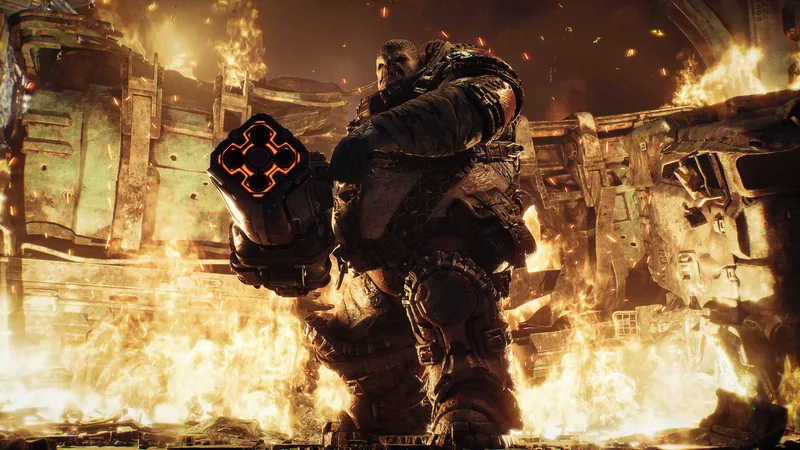
Official launch PC specifications
| Minimum | Recommended | Ultra | |
|---|---|---|---|
| Preset | Medium | High | Ultra |
| Target | 1080p 60 FPS | 1440p 60+ FPS | 4K 60+ FPS |
| GPU | RTX 5050 / RTX 2060 / RX 6600 / RX 9060 | RTX 5060 / RTX 3060 Ti / RX 6700 XT / RX 9060 XT | RTX 5070 Ti / RX 9070 XT |
| CPU | Ryzen 5 2600X / i7-6850K / i5-10400 | Ryzen 5 5600 / i5-11600K | Ryzen 7 7800X3D / i7-14700K |
| VRAM | 6 GB | 8 GB | 12 GB |
| RAM | 12 GB | 16 GB | 16 GB |
| Storage | 115 GB SSD | 115 GB SSD | 115 GB SSD |
All three targets assume DLSS, FSR, TSR or XeSS upscaling. The chart notes that actual performance varies with hardware, settings and background tasks.
Operating system and other requirements
The Steam page lists Windows 10 64-bit (22H2, build 19045.7291) as the minimum and Windows 11 64-bit 25H2 or newer as recommended, with DirectX 12 and a broadband connection in both cases.
A Microsoft account is required, and the Steam version uses Xbox network services for online play even though you launch it through Steam. During early access, offline play on PC was unavailable until the October 6 release.
Check these before you buy
- Your graphics card supports hardware ray tracing. A GTX 16-series or older card is below the minimum.
- You have 115 GB free on an SSD, not a hard disk. Hard disks caused loading failures, missing assets and crashes in the beta.
- You have at least 12 GB of system memory.
- Your graphics driver is current. The beta required NVIDIA 610.74 or newer, AMD 26.7.1 and Intel 101.8864.
- On Intel Arc A580 or B580, Resizable BAR and Above 4G Decoding are enabled in the BIOS.
Handhelds and cloud
The store description says the game is optimised for handheld play on Steam Deck, Xbox Ally X and Xbox Ally devices. The Coalition has not published separate handheld spec tiers or frame-rate targets.
If your PC falls short, cloud gaming is an option: the game is playable through Xbox Cloud Gaming with Game Pass Ultimate and through GeForce NOW.
Features that affect load times
Advanced Shader Delivery ships precompiled shaders with the download to cut first-run stutter and loading. At launch it works on AMD hardware, with NVIDIA support due later in October 2026. It is delivered through the Xbox PC app, and Steam players can still benefit if that app is installed on Windows 11.
Intel Arc cards recompiled shaders on every launch during the beta, which lengthened start-up. The launch notes do not say whether that changed.
Quick questions
Can a GTX 1660 or GTX 1080 run Gears of War: E-Day?
Not officially. The spec chart states that cards without dedicated hardware ray-tracing support are not supported.
How much storage does E-Day need?
115 GB on an SSD for every tier in the launch chart. The Steam page lists the same figure.
Is 8 GB of RAM enough?
No. The minimum is 12 GB and the recommendation is 16 GB.
Sources
Where these answers come from
- Official · Official announcementXbox Wire: Gone Gold, Pre-Install and Full PC SpecificationsPre-install date, early access rules for Premium and Game Pass players, and the launch PC specification chart with three tiers.Published 2026-09-17 · Checked 2026-10-04
- Official · Store pageSteam: Gears of War: E-DaySteam price, release date, minimum and recommended PC requirements, feature tags, language support and PC feature list.Checked 2026-10-04
- Official · Official announcementXbox Wire: How The Coalition and NVIDIA are Building E-Day for PCEngine and graphics API, supported upscalers, frame generation, Reflex and Advanced Shader Delivery on PC.Published 2026-07-14 · Checked 2026-10-04
- Official · Official siteGearsofWar.com: Open Beta Details and FAQBeta dates, access rules, reward challenges, what carried over, account linking steps and the beta-era PC known issues.Published 2026-08-03 · Checked 2026-10-04
- Official · Official siteGearsofWar.com: Emergence Begins – TomorrowSeason 1 dates, ranked start date, changes since the beta, features missing at launch and the launch known issues list.Published 2026-09-30 · Checked 2026-10-04
- Official · Official announcementXbox Wire: Gears of War: E-Day is Available in Early Access TodayEarly access and worldwide unlock times, who can play early, supported platforms, cloud options and the launch trailer.Published 2026-10-01 · Checked 2026-10-04